Safer homes. Smarter tools. More confidence.
Find practical guidance and smart technology solutions to support independent living. Make confident decisions at your own pace.
Free Senior Home Safety Checklist
Review practical room-by-room ideas for bathrooms, bedrooms, kitchens, lighting, stairs, phone settings, and simple smart-home options.
Choose how you'd like to get started
Every family has different needs. Start with the option that fits you best.
0%
Uncalculated$0.00
Time: 0.0 hrs/wk to reviewComplete Smart Tech Optimizer
Click to review possible time-saving ideasGet In Touch
Click to open contact formSimple changes can make a big difference
Many families do not know where to start. Often, the first helpful steps are small: better lighting, safer bathroom support, clearer walking paths, easier-to-reach everyday items, simple alerts, and better family planning.
Smart Care Guide helps you think through these choices calmly, without pressure, so you can focus on what may make the home safer, easier to manage, and more comfortable for staying at home longer.
- Bathroom safety and easier bathing routines
- Nighttime lighting and clearer walking paths
- Stove, water, entry, and temperature alerts
- Reducing clutter without making the home feel empty
- Easier phone settings and family communication tools
- Caregiver time-saving ideas and next-step planning
Best for
- Older adults who want to stay safer and more confident at home
- Adult children helping a parent from a distance
- Family caregivers who feel overwhelmed by repeated tasks
- Families considering adequate lighting, alerts, phone settings, grab bars, reminders, or smart-home tools
- People who want practical guidance before spending money on devices or home changes
How it works
Start with the free Safety Assessor, then explore practical tools and resources before deciding whether personalized help would be useful.
What the Personalized Home Safety & Smart Care Educational Consultation includes
The $149 Personalized Home Safety & Smart Care Educational Consultation includes review of your Safety Assessment, uploaded photos if provided after payment, and pre-consultation questionnaire, followed by one 1-to-1 Zoom or phone educational consultation. After the meeting, you receive a short follow-up email summarizing the main discussion points and next steps. The consultation is educational and planning-focused. We help you understand practical home safety, caregiver workflow, comfort, accessibility, and assistive-technology options so you can decide what to review next with qualified professionals when needed.
Need something in writing after your consultation? Optional written add-ons can help you organize next steps, compare product categories, prepare questions for a qualified local professional, or share a plain-English summary with family or caregivers. Add-ons are offered separately, so you only pay for the extra support you actually need.
Optional written add-ons
Optional add-ons may include:
- Written recommendations summary
- Product category guidance
- Room-by-room action list
- Questions to ask a qualified local professional
- Family or caregiver summary
- Additional follow-up consultation
Smart Care Guide provides educational guidance and planning support only. We do not provide medical care, diagnosis, personal caregiving, licensed home inspections, construction, installation, electrical work, plumbing, contractor services, emergency response, legal advice, financial advice, or insurance advice.
1-on-1 Personalized Home Safety & Smart Care Educational Consultation
A personalized 1-on-1 educational guidance session focused on practical home safety awareness, caregiver time-saving ideas, comfort, accessibility, and assistive technology options.
How Smart Care Guide Can Help
Smart Care Guide helps families learn about practical home-safety ideas, assistive technology, smart-home options, and caregiver time-saving strategies before making expensive decisions.
Home Safety Awareness
Learn simple ways to make the home safer, easier to use, and more supportive.
Assistive Technology Guidance
Explore simple technology options such as motion lighting, entry alerts, leak sensors, phone settings, smart speakers, and caregiver-friendly tools.
Personalized Educational Consultation
Upload home photos, complete an intake questionnaire, and meet virtually to discuss practical safety, technology, and planning ideas.
Caregiver Time Review
Review where family or paid caregiver time may be spent and where simple changes, better organization, or technology may help.
Smart Home & Assistive Technology Guidance
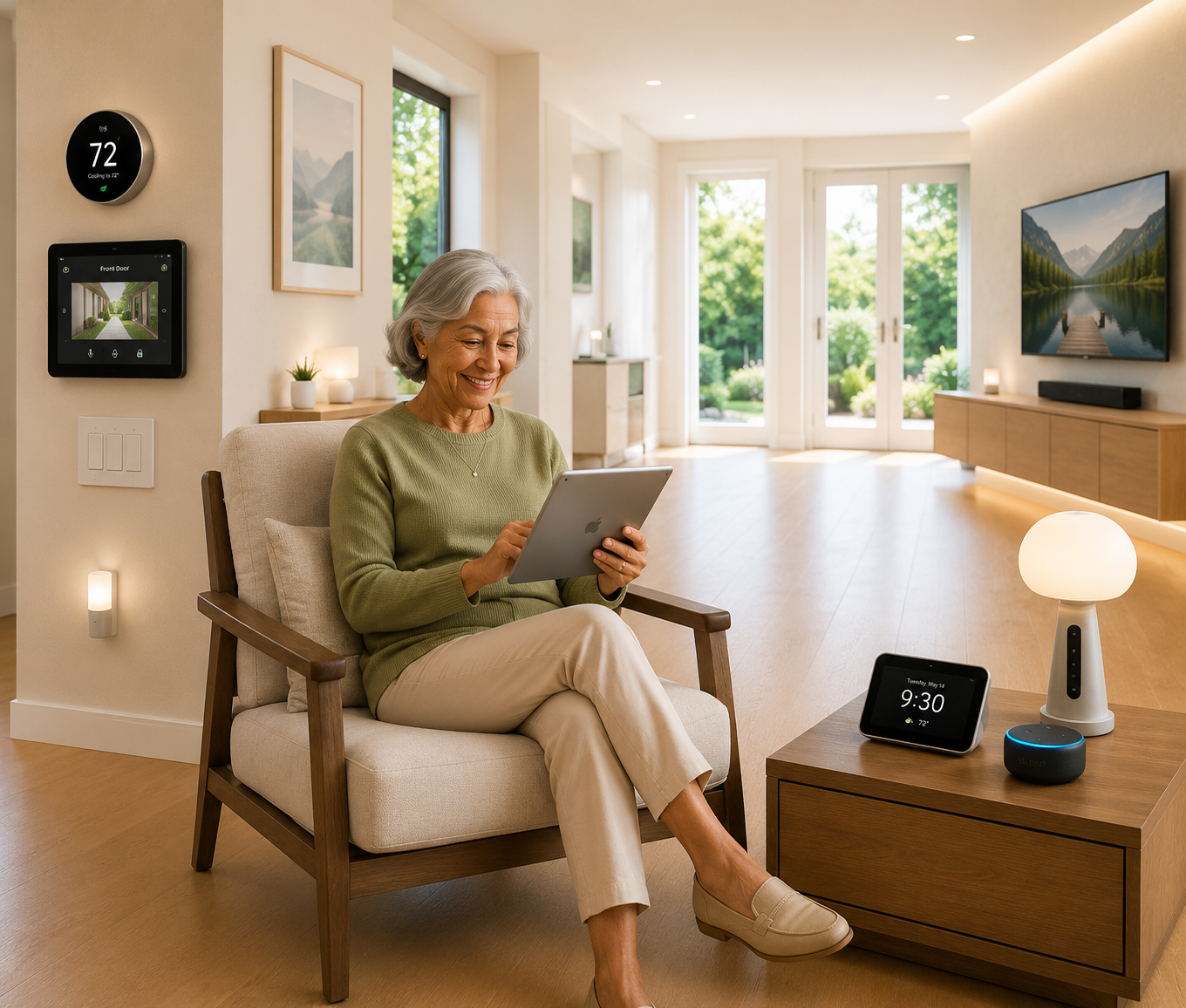
Assistive technology and smart-home tools can help make daily routines easier, safer, and more manageable at home. Smart Care Guide provides education and planning support so families can better understand which options may be useful before buying products or hiring installers.
Examples may include motion pathway lighting, stove or water leak alerts, video doorbells or entry awareness tools, easier phone settings, smart speakers, reminders, and caregiver-friendly check-in tools.
Our goal is to help families understand practical options, possible benefits, privacy considerations, and next steps. When installation, repair, electrical, plumbing, or licensed work may be needed, families should speak with qualified professionals.
Important note: Smart Care Guide provides education, planning support, and practical guidance only. We do not provide medical care, caregiving, installation, construction, electrical, plumbing, contractor, emergency, legal, financial, insurance, or licensed inspection services.
How Assistive Technology Can Support Everyday Independence
The right tools do not have to be complicated. Simple assistive technology and smart-home options may help with safety awareness, daily routines, caregiver coordination, and family peace of mind.
Safety Awareness
Motion lights, door alerts, stove alerts, water leak sensors, and other simple tools may help families notice issues earlier and plan safer routines.
Daily Convenience
Smart speakers, reminders, easier phone settings, and recurring delivery options may reduce errands, missed tasks, and caregiver stress.
Family Connection
Video calls, shared calendars, and simple check-in tools can help families stay connected without relying only on constant phone calls or in-person visits.
Real-World Scenarios: Peace of Mind & Quality of Life Improved
Smart Lighting & Path Sensors
The Setup: Mr. J wakes up at night. Motion-activated, low-glare LED strips automatically illuminate the floor path from his bed to the bathroom.
The Planning Benefit: Mr. J may have better nighttime visibility, and family members may gain another helpful check-in signal without needing constant overnight checks.
Stove and Leak Awareness
The Setup: A stove alert or automatic shutoff option may help flag burners left on. Leak sensors near sinks, laundry areas, or water heaters may help catch small problems earlier.
The Planning Benefit: The family can discuss simple alert options before a small household issue becomes a bigger safety or repair concern.
Virtual Check-ins & Ordering
The Setup: A family helper sets up a tablet for video calls and links home supplies to a recurring auto-delivery service.
Possible planning benefit: Mr. T may receive routine supplies more easily and enjoy simpler video calls with family, which may reduce some errands and support more regular connection.
Why Assistive Technology? The Safety & Cost-Savings Solution
Practical Home Safety
Falls are a leading cause of injury for seniors. Small investments in grab bars, non-slip mats, and path lighting may help reduce some common everyday hazards and support physical well-being.
Support Aging in Place
Living in a familiar environment is highly preferred by older adults. Considering supportive equipment may help make staying at home easier to discuss and plan, while families verify important decisions with qualified professionals.
Restore Daily Confidence
Simple transfer aids (like raised toilet seats, bed rails, and step stools) may support easier movement and daily routines. When individuals can navigate their home more comfortably, confidence and independence may improve.
Get the Free Smart Home Starter Guide
Sign up for the monthly Smart Care Guide email newsletter and get the free Smart Home Starter Guide. You’ll receive practical home safety, caregiver support, aging-in-place, and smart-home tips in simple, easy-to-understand language. After you subscribe, please check your email to confirm your subscription.
About once a month. No spam. Unsubscribe anytime.
Legal & Privacy Notes: Smart Care Guide provides general guidance on home safety, aging in place, caregiver support, and assistive technology for informational and planning purposes only. Assessments, checklists, scores, estimates, product examples, and recommendations are educational and are not safety guarantees or medical, legal, financial, architectural, engineering, or licensed contractor advice. Actual results vary by home environment, resident needs, installation quality, internet reliability, local costs, products used, and caregiver involvement. Please verify important decisions with qualified, licensed professionals. Information submitted through forms is used to respond to your request and provide requested services.
Interactive Tools & Aging-in-Place Guides
Explore our collection of interactive calculators, technology planning guides, and resources designed to help older adults live safely and comfortably at home while supporting family caregivers.
Free guide: Smart Home Starter Guide for Safer Aging at Home
A practical educational guide for thinking through simple smart-home and assistive-technology ideas before buying devices or scheduling personalized guidance.
Caregiver Time & Cost Planning Calculator
For overwhelmed family caregivers: May help identify repeated tasks, scheduling bottlenecks, and possible time-saving opportunities.
Smart Tech Optimizer
For families introducing technology: Calculates care hours reclaimed by implementing automatic pill dispensers, motion paths, and safety check-ins.
Room-by-Room Home Setup Planning Guide
For layout and priorities: Think through practical room-by-room concerns, simple modifications, assistive tech options, and vendor questions.
Phone Settings Guide
For senior mobile configuration: Adjust text sizes, contrast levels, contact whitelist rules, and spam call blockers on iOS and Android.
Resources & Funding Guidance
For possible support options: Learn where families may look for home safety, caregiver, equipment, local aging, and funding guidance.
Legal & Privacy Notes: Smart Care Guide provides general home-safety, aging-in-place, caregiver-support, and assistive-technology guidance for informational and planning purposes only. Scores, estimates, product examples, and recommendations are not guarantees and are not medical, legal, financial, architectural, engineering, or licensed contractor advice. Actual results vary by home, resident needs, products, installation, local costs, and caregiver involvement. Please verify important decisions with qualified professionals. Information submitted through forms is used to respond to your request and provide requested services.
Take a simple room-by-room self-check to notice common home safety concerns. This tool is educational and planning-focused. It helps you think about bathrooms, bedrooms, living areas, kitchens, entrances, outdoor areas, and simple smart safety options.
Takes about 5-10 minutes. No medical records or private health details are needed. Select N/A when something does not apply.
Bathroom → Bedroom → Kitchen → Entry → Outdoors → Smart Devices
Answering No or leaving a question blank will flag that item for review. Select N/A if a question does not apply, and it will not count against the safety score.
Safety Evaluation
Complete the questionnaire to see your score and recommendations.
Legal & Privacy Notes: Smart Care Guide provides general home-safety, aging-in-place, caregiver-support, and assistive-technology guidance for informational and planning purposes only. Assessments, checklists, scores, estimates, product examples, and recommendations are educational and are not safety guarantees or medical, legal, financial, architectural, engineering, or licensed contractor advice. Actual results vary by home environment, resident needs, installation quality, internet reliability, local costs, products used, and caregiver involvement. Please verify important decisions with qualified, licensed professionals. Information submitted through forms is used to respond to your request and provide requested services.
Caregiving often involves much more than direct care. Family members and paid caregivers spend hours every week coordinating appointments, picking up medications, shopping for supplies, arranging transportation, managing schedules, and handling unexpected issues.
This planning calculator may help identify repeated tasks, possible time-saving opportunities, and places where better organization, reminders, delivery services, phone settings, or simple technology could reduce confusion and organize caregiver routines.
Example: If a family spends several hours each week coordinating errands, reminders, appointments, and repeated questions, this tool can help identify where better systems may reduce strain.
Complete the questions below to receive a planning estimate.
Required field
Calculation Dashboard
Your results will show here once you submit the form.
Legal & Privacy Notes: Smart Care Guide provides general home-safety, aging-in-place, caregiver-support, and assistive-technology guidance for informational and planning purposes only. Assessments, checklists, scores, estimates, product examples, and recommendations are educational and are not safety guarantees or medical, legal, financial, architectural, engineering, or licensed contractor advice. Actual results vary by home environment, resident needs, installation quality, internet reliability, local costs, products used, and caregiver involvement. Please verify important decisions with qualified, licensed professionals. Information submitted through forms is used to respond to your request and provide requested services.
Resources & Funding Guidance
This page helps families understand possible places to look for home safety, caregiver support, assistive technology, local aging services, and funding or grant information. It is general guidance only, not an eligibility review or funding guarantee.
Resource availability varies by location. Smart Care Guide can help families think through what types of programs to look for, but each family should verify details directly with the program or agency.
Where to look first
- Area Agency on Aging or local aging services office
- County senior services
- Veterans programs
- Local nonprofit repair or accessibility programs
- Utility company safety, energy, or weatherization programs
- Community caregiver support programs
Home Safety Modifications
Families may explore grab bars, lighting improvements, stair safety, bathroom changes, entry access, and other home safety updates. Requirements, costs, permits, and available help vary by home and location.
Verify details directly with local agencies, qualified professionals, contractors, or program offices.
Caregiver Support
Caregiver support may include respite programs, local aging organizations, caregiver education, transportation help, meal support, and coordination resources.
Availability and eligibility can change, so confirm current options directly with the organization.
Possible Grants or Funding
Some communities, nonprofits, veteran programs, local agencies, or public programs may offer limited support for safety improvements, equipment, or caregiver needs.
Smart Care Guide does not determine eligibility or approval. Always confirm rules with official program sources.
Equipment & Assistive Technology
Families may consider basic equipment, communication tools, reminders, medical alert options, phone settings, smart-home supports, or other practical assistive technology.
Confirm fit, safety, installation needs, and ongoing costs before purchasing or relying on any device.
Local Aging Services
Area Agencies on Aging, senior centers, county offices, nonprofit programs, and local caregiver organizations may help families find community-specific options.
Program names, phone numbers, rules, and details may change. Check directly with the agency.
Not Sure Where to Start?
Start with the free Safety Assessor to identify home safety priorities, or contact Smart Care Guide with resource questions. A consultation can also help families discuss practical home safety, caregiver, and assistive-technology priorities; official program details still need to be confirmed directly with the relevant agency or provider.
We can help organize questions, but official program decisions must come from the relevant agency or provider.
Need help thinking through resource options?
For now, resource questions route through the existing Contact Us page. Please include your state or general region only if relevant, the type of help you are looking for, and any practical concerns you want us to understand.
Legal & Privacy Notes: Smart Care Guide provides general home-safety, aging-in-place, caregiver-support, and assistive-technology guidance for informational and planning purposes only. Assessments, checklists, scores, estimates, product examples, and recommendations are educational and are not safety guarantees or medical, legal, financial, architectural, engineering, or licensed contractor advice. Actual results vary by home environment, resident needs, installation quality, internet reliability, local costs, products used, and caregiver involvement. Please verify important decisions with qualified, licensed professionals. Information submitted through forms is used to respond to your request and provide requested services.
This tool is for families who wonder whether simple technology could reduce errands, reminders, missed messages, nighttime worries, or repeated caregiver tasks.
Examples may include path lights, leak sensors, stove safety awareness tools, keyless access or lockbox planning, phone settings, medication reminders, and simple caregiver check-in tools.
Technology can support awareness and routines, but it does not remove fall, wandering, emergency, medical, or security risk.
Required field
Smart Technology Planning Focus
Submit the questionnaire to explore options to consider and potential next steps.
Legal & Privacy Notes: Smart Care Guide provides general home-safety, aging-in-place, caregiver-support, and assistive-technology guidance for informational and planning purposes only. Assessments, checklists, scores, estimates, product examples, and recommendations are educational and are not safety guarantees or medical, legal, financial, architectural, engineering, or licensed contractor advice. Actual results vary by home environment, resident needs, installation quality, internet reliability, local costs, products used, and caregiver involvement. Please verify important decisions with qualified, licensed professionals. Information submitted through forms is used to respond to your request and provide requested services.
Smart Care Guide
Helping older adults and families make homes safer, easier, and more comfortable with practical guidance centered on real daily life.
Our Approach
At Smart Care Guide, we help older adults and families think through safer, easier home setups. Our approach combines 20+ years of remodeling and home improvement experience with 30+ years of IT and assistive technology experience to identify practical options for home safety, comfort, caregiver workflow, and aging-in-place planning.
Smart Care Guide was created to help families think clearly before spending money on devices, home changes, or complicated systems. Our focus is practical education, safer daily routines, assistive technology awareness, and simple planning support.
We look for simple improvements before major remodeling when appropriate, and we suggest technology only when it is useful, understandable, and manageable for the person and the family supporting them.
Our Educational Role
Our role is educational and planning-focused. Smart Care Guide helps families learn what questions to ask, what common home safety and assistive-technology options exist, and when a qualified professional should be involved.
We are not here to sell major remodeling. We help families understand practical options, questions to ask, and what may need a qualified professional.
Our Goal
We focus on home safety, caregiver time-saving ideas, practical assistive technology, aging-in-place guidance, and everyday home-environment improvements.
Many visitors start with the free Safety Assessor, then choose the $149 Personalized Home Safety & Smart Care Educational Consultation if they want help reviewing their results, photos, concerns, and practical next steps.
How we help
A simple place to start
Start with the free Safety Assessor, learn about the $149 consultation, or contact us if you are not sure which step fits your situation.
Have a question about the Caregiver Time & Cost Planning Calculator, home safety checklist, or consultation options? Send us a message and we will get back to you as soon as possible.
We usually respond by email. For emergencies, call 911 or your local emergency services.
Caregiver Support
We are dedicated to helping family caregivers streamline tasks, coordinate schedules, and make care safer.
Many home accidents may be reduced with thoughtful planning and assistive devices. Use our Home Safety Assessment on the dashboard to build a planning checklist.
Your message is securely sent to Smart Care Guide so we can respond.
Legal & Privacy Notes: Smart Care Guide provides general home-safety, aging-in-place, caregiver-support, and assistive-technology guidance for informational and planning purposes only. Assessments, checklists, scores, estimates, product examples, and recommendations are educational and are not safety guarantees or medical, legal, financial, architectural, engineering, or licensed contractor advice. Actual results vary by home environment, resident needs, installation quality, internet reliability, local costs, products used, and caregiver involvement. Please verify important decisions with qualified, licensed professionals. Information submitted through forms is used to respond to your request and provide requested services.
Partner Resources
Partner resources are not part of the public website experience right now.
Please use Contact Us for general questions.
Partner resources are handled through Contact Us.
For now, please use Contact Us for partnership questions.
Partner Resources
Future partner resources may support educational coordination, referral tracking, and communication support only.
Future tools may help organize educational planning requests and communication notes.
Future resources may help track basic referral status without commissions, lead fees, or contractor routing.
For now, please use Contact Us for partnership questions.
Legal & Privacy Notes: Smart Care Guide provides general home-safety, aging-in-place, caregiver-support, and assistive-technology guidance for informational and planning purposes only. Assessments, checklists, scores, estimates, product examples, and recommendations are educational and are not safety guarantees or medical, legal, financial, architectural, engineering, or licensed contractor advice. Actual results vary by home environment, resident needs, installation quality, internet reliability, local costs, products used, and caregiver involvement. Please verify important decisions with qualified, licensed professionals. Information submitted through forms is used to respond to your request and provide requested services.
Personalized Home Safety & Smart Care Educational Consultations
Get personalized aging-in-place guidance and assistive technology options to consider for a safer and more comfortable home.
Personalized Home Safety & Smart Care Educational Consultation
- Review of your Safety Assessment
- Review of your uploaded photos, if provided after payment
- Review of your pre-consultation questionnaire
- One 1-to-1 Zoom or phone educational consultation
- A short follow-up email summarizing the main discussion points and next steps
Optional written add-ons
Need something in writing after your consultation? Optional add-ons can help you organize next steps, compare product categories, prepare questions for a qualified local professional, or share a plain-English summary with family or caregivers.
Add-ons are offered separately, so you only pay for the extra support you actually need.
Optional add-ons may include:
- Written recommendations summary
- Product category guidance
- Room-by-room action list
- Questions to ask a qualified local professional
- Family or caregiver summary
- Additional follow-up consultation
Smart Care Guide provides educational guidance and planning support only. We do not provide medical care, diagnosis, personal caregiving, licensed home inspections, construction, installation, electrical work, plumbing, contractor services, emergency response, legal advice, financial advice, or insurance advice.
Cancellation, refunds, and rescheduling
Please review our Cancellation, Refund, and Rescheduling Policy before payment. Cancellations submitted at least 24 hours before the scheduled consultation may receive a full refund or be moved to one future consultation. Cancellations within 24 hours are not automatically refundable. Review the full policy.
How the Booking Process Works
- Step 1: Complete Checkout
Click "Pay Online" to complete the $149 consultation payment securely through Stripe. - Step 2: Check Your Email
You will receive a next-steps email (Template 2) with your personalized intake link and booking calendar. - Step 3: Upload Photos & Schedule
Follow the intake link to upload home photos, answer a pre-consultation questionnaire, and schedule a convenient time for your virtual call.
Service boundaries
- Educational planning guidance, not medical or clinical advice.
- Not an emergency response, medical monitoring, or security monitoring service.
- Legal, financial, architectural, engineering, and contractor decisions should be verified with qualified professionals.
- Product choices, installation quality, local costs, and home conditions can affect results.
Room-by-Room Home Setup Planning Guide & Example Library
This guide helps families review common room-by-room concerns and prepare better questions before buying products or hiring help. For a custom review of your home, start with our Free Safety Assessor or book a Personalized Home Safety & Smart Care Educational Consultation.
Create My Home Setup Planning Summary
Complete this quick home profile questionnaire to generate a general planning summary. This summary is for discussion only and is not a consultation, design plan, contractor instruction, permit guidance, or guaranteed safety recommendation.
Want help reviewing your home setup priorities?
Your $149 Personalized Home Safety & Smart Care Educational Consultation can include a review of room-by-room layout concerns, simple modification ideas, assistive technology opportunities, and practical questions to discuss with contractors or vendors later if needed.
*The $149 consultation is the first paid review. If you request additional customized follow-up work after the consultation, Smart Care Guide may provide a separate quote or Stripe invoice for your approval before any additional paid work begins.
Legal & Privacy Notes: Smart Care Guide provides general home-safety, aging-in-place, caregiver-support, and assistive-technology guidance for informational and planning purposes only. Assessments, checklists, scores, estimates, product examples, and recommendations are educational and are not safety guarantees or medical, legal, financial, architectural, engineering, or licensed contractor advice. Actual results vary by home environment, resident needs, installation quality, internet reliability, local costs, products used, and caregiver involvement. Please verify important decisions with qualified, licensed professionals. Information submitted through forms is used to respond to your request and provide requested services.
Make Smartphones Easier and Safer for Older Adults
Smartphones can be adjusted to make everyday use easier, reduce confusion, improve readability, support emergency response, and lower exposure to scams. Many helpful options are available on both iPhone and Android phones, including Samsung, Google Pixel, Motorola, and other common smartphones. The right settings depend on the person’s vision, hearing, memory, comfort with technology, safety needs, and caregiver support.
This free educational guide helps older adults, caregivers, and family members review common phone settings that can make a phone easier to see, hear, answer, and use safely.
Phone menus vary by iPhone, Samsung, Google Pixel, Motorola, carrier, and software version. The exact wording and location of settings may be different, so use this as a general guide and ask a trusted helper, carrier, Apple, Samsung, or Google support if needed.
Do this first
- Make text easier to read
- Save important contacts
- Check voicemail setup
- Turn on spam labeling carefully, without blocking important calls
- Remove suspicious apps or unfamiliar permissions
- Review emergency contacts
Phone settings vary by iPhone, Samsung, Android brand, carrier, and software version. Use these ideas as a starting point and adjust them to the person's actual phone.
Want a simple smart-home starting point?
The free starter guide includes practical device categories and questions to consider alongside phone settings, alerts, and caregiver communication.
Important Phone Settings to Review
Larger Text
Increases the size of words in messages, menus, contacts, and alerts so the phone is easier to read.
Larger Icons and Display Zoom
Makes icons, buttons, and screen elements larger and easier to tap.
Bold Text or Higher Contrast
Helps text and buttons stand out more clearly, especially for users with low vision.
Simplified Home Screen
Keeps only essential apps on the first screen, such as Phone, Messages, Contacts, Camera, Calendar, Maps, Weather, Pharmacy, and Medical Portal apps.
Important Contacts
Saves family members, caregivers, doctors, pharmacies, transportation providers, and emergency contacts so calls are easier to recognize and place.
Favorites or Speed Dial
Places the most important contacts in an easy-to-reach location for quick calling.
Voicemail Setup
Ensures doctors, pharmacies, labs, hospitals, insurance companies, and caregivers can leave messages when calls are missed.
Emergency Contacts
Makes trusted contacts available in case of urgent situations.
Medical Information
Stores key information such as medications, allergies, medical conditions, and emergency contacts when supported by the phone.
Emergency Calling Shortcut
Allows the user to quickly contact emergency services when urgent help is needed.
Find My Phone / Find My Device
Helps locate a lost phone and may help trusted family members assist in emergencies when location sharing is enabled.
Spam Call Labeling
Helps identify suspected scam or spam calls without automatically blocking all unknown callers.
Text Message Spam Filtering
Helps separate unknown or suspicious text messages from known contacts.
Reduced Notifications
Turns off unnecessary alerts from shopping apps, games, promotions, and unfamiliar apps to reduce confusion and accidental clicks.
Purchase Protection
Requires a password, fingerprint, or face recognition before purchases or subscriptions are completed.
Screen Lock
Protects personal information with a passcode, fingerprint, or face recognition.
Software Updates
Keeps the phone more secure and reliable.
Remove Suspicious or Unused Apps
Reduces clutter and lowers the risk of scam apps or accidental use.
Optional Settings Depending on Need
Magnifier or Screen Zoom
Helps read medicine bottles, mail, menus, appliance labels, and small print.
Voice Assistant
Can help with simple tasks such as calling a family member, setting reminders, checking the weather, or starting a timer.
Medication Reminders
Helps remind the user when to take medications or refill prescriptions.
Calendar and Appointment Reminders
Helps reduce missed medical appointments, therapy visits, and family events.
Captions and Hearing Support
Helpful for users who have trouble hearing phone audio, videos, or calls.
Touch Sensitivity Adjustments
May help users with tremor, arthritis, slow finger movement, or accidental taps.
Battery Saver
Helps extend battery life when the phone is running low.
Do Not Disturb or Focus Mode
Can reduce interruptions, especially at night, but should be configured carefully so important contacts can still reach the user.
Location Sharing With Trusted Contacts
May help family or caregivers locate the person during emergencies or when there are memory or safety concerns.
Spam Protection Caution
Spam protection should be configured carefully for older adults. Fully blocking or silencing unknown callers may prevent important calls from doctors’ offices, pharmacies, hospitals, labs, insurance companies, transportation providers, caregivers, contractors, or delivery services from reaching the person. A safer approach is to use spam labeling, block only confirmed spam numbers, keep voicemail active, save important numbers in Contacts, and review missed calls regularly.
Suggested Caregiver Review Checklist
Scam Safety Reminders
- Do not give verification codes to anyone over the phone.
- Do not click links from unknown text messages.
- Do not allow strangers to install apps or remote-control software.
- Do not pay anyone by gift card, cryptocurrency, wire transfer, or payment app because of a phone call or text.
- If a message or call claims to be from a bank, Medicare, Social Security, Apple, Amazon, utility company, or insurance company, hang up and call the official number directly.
- When unsure, ask a trusted family member, caregiver, or professional before responding.
Disclaimers
This information is provided for general informational and planning purposes and is not a substitute for professional technology, medical, legal, emergency, or cybersecurity advice.
Phone settings should not be relied upon as the only emergency safety solution. In an emergency, call 911 or local emergency services immediately.
Spam protection, call blocking, Do Not Disturb, Focus Mode, and notification settings may interfere with important calls or messages from medical providers, pharmacies, caregivers, transportation providers, insurance companies, or emergency contacts. These settings should be reviewed carefully before use.
Location sharing, caregiver access, emergency contact setup, and health or medical information should only be configured with the informed consent of the phone owner or their legally authorized representative.
Available settings vary by phone model, operating system version, wireless carrier, and installed apps. iPhone and Android phones may use different names for similar features.
These settings may reduce confusion, improve usability, and help identify possible scams, but they cannot prevent all fraud, missed calls, technical issues, or emergencies.
Want Help Thinking Through Phone Settings?
A caregiver, family member, or trusted helper can review the phone settings with the older adult to improve readability, simplify daily use, reduce scam exposure, and support emergency readiness.
Phone settings can also be discussed during a $149 Personalized Home Safety & Smart Care Educational Consultation when they relate to home safety, caregiver workflow, communication, or practical assistive technology.
After booking, you will receive a confirmation email with your consultation date, time, and next steps.
Legal & Privacy Notes
Smart Care Guide is designed to help families plan, organize questions, and decide when qualified professional input would be helpful.
Legal & Privacy Notes: Smart Care Guide provides general home-safety, aging-in-place, caregiver-support, and assistive-technology guidance for informational and planning purposes only. Assessments, checklists, scores, estimates, product examples, and recommendations are educational and are not safety guarantees or medical, legal, financial, architectural, engineering, or licensed contractor advice. Actual results vary by home environment, resident needs, installation quality, internet reliability, local costs, products used, and caregiver involvement. Please verify important decisions with qualified, licensed professionals. Information submitted through forms is used to respond to your request and provide requested services. Read the full Privacy Policy.
Business Role and Scope
Smart Care Guide operates as an educational guidance and planning service for aging-in-place, home safety awareness, caregiver organization, and assistive technology education. Our services are intended to help families understand options and prepare better questions. We do not provide hands-on installation, licensed inspection, medical evaluation, home health care, construction, electrical, plumbing, architectural, engineering, legal, financial, emergency, or insurance services.
Informational & Planning Use Only
Smart Care Guide provides general home-safety, aging-in-place, caregiver-support, and assistive-technology guidance for informational and planning purposes only. Its automated tools, checklists, scores, summaries, and resources do not diagnose, treat, screen for, prevent, or evaluate medical conditions and are not a clinical assessment, occupational therapy evaluation, care plan, emergency service, home inspection, safety inspection, code inspection, architectural review, engineering review, or licensed contractor evaluation.
Estimates are not guarantees
Safety scores, time estimates, cost examples, savings calculations, product examples, and recommendations are illustrative only. Actual results vary by home layout, resident needs, product performance, installation quality, local labor and service costs, internet reliability, caregiver involvement, and follow-through.
Professional review recommended
Please verify important decisions with qualified professionals, such as medical providers, occupational therapists, licensed contractors, electricians, plumbers, architects, engineers, attorneys, financial advisors, insurance representatives, or local building officials when appropriate for your situation.
Products and third-party services
Product names, device categories, retailers, services, and links are examples to support planning. Smart Care Guide does not guarantee product availability, performance, compatibility, installation quality, code compliance, safety outcomes, delivery times, prices, warranties, or third-party service results. Some links may be affiliate or referral links, which may earn Smart Care Guide a small commission at no extra cost to you.
Privacy note
Submitted forms may collect name, email, phone number, assessment answers, photos, message details, scheduling details, and service-related notes. We use this information to respond to your request, deliver requested summaries or reports, coordinate bookings, process service requests, and provide requested services. We do not sell personal information. We do not share your information with outside contractor directories. We may use trusted service providers needed to operate the website, process payments, send emails, manage forms, coordinate scheduling, store records, or provide services you request. We may share information with a contractor, vendor, family member, or other third party only when you request it, authorize it, or it is necessary to provide the service you asked for. Do not submit medical records, financial account details, Social Security numbers, passwords, insurance claim documents, or other highly sensitive information through general website forms.